Interactive Tour: Get to Know the Godot Editor
2026/01/19
- Type
- Learning Resource
- Format
- Interactive
- Version
- Godot 4.x
- Downloadable Demo
- FAQ/Troubleshooting
- Created
- Updated
- 2023/12/21
- 2026/01/19
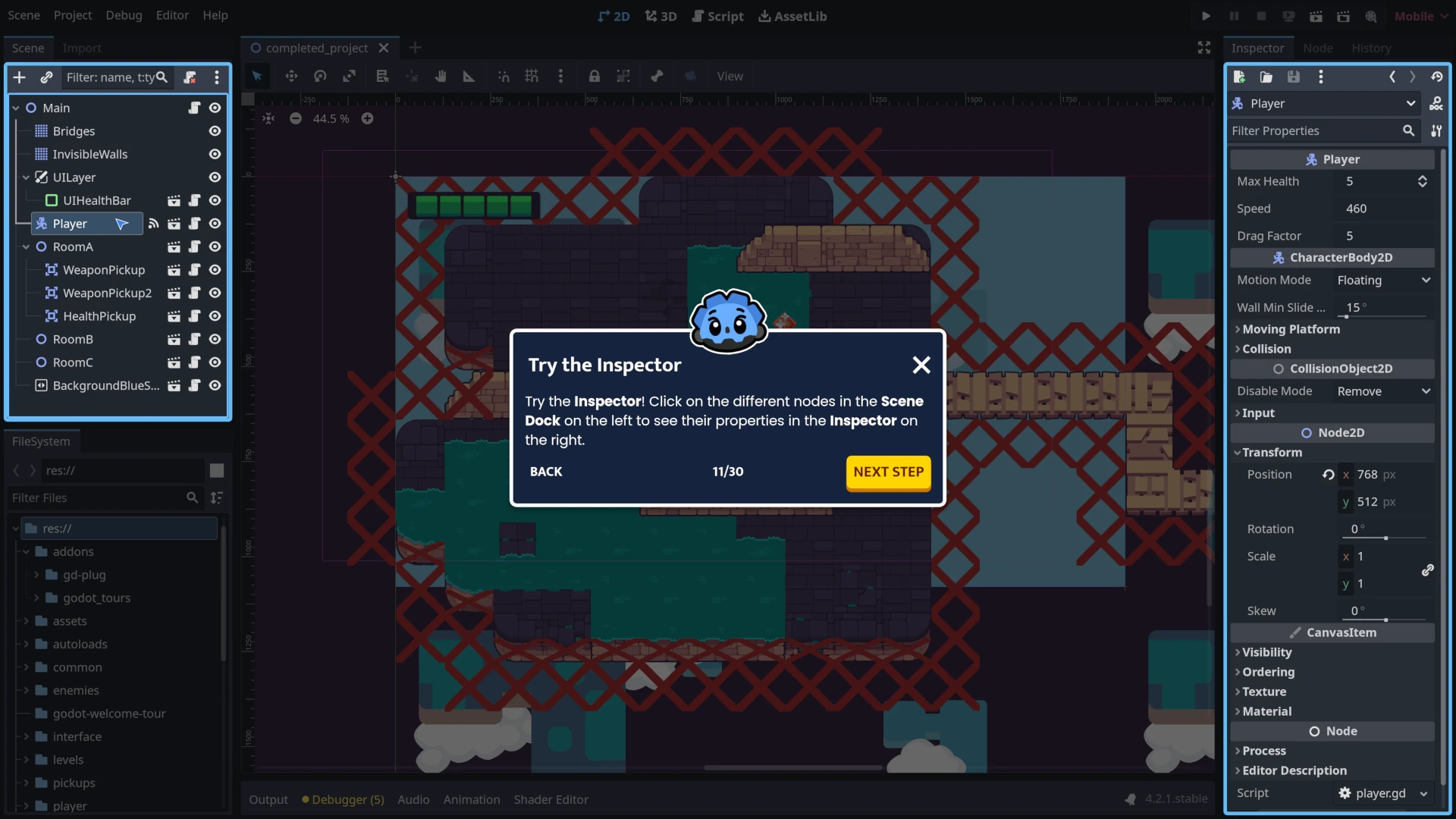
GDTour allows you to learn interactively, step-by-step, directly inside the Godot Editor. In this first completely Free Tour, we help you break the ice with Godot by taking you on a quick guided walkthrough of the user interface and the main areas of the editor: the Viewport, the Scene dock, the Inspector dock, the Filesystem dock, and the Script editor.

GDTour is an educational plugin created by GDQuest. It turns the Godot Editor into an "interactive classroom". Instead of jumping back and forth between a tutorial and the editor, you learn directly inside Godot step-by-step.
Think of it like having an experienced Godot developer sitting next to you. The tour highlights specific parts of Godot's UI, giving you directions and allowing you to interact with the editor while learning. It even validates the steps you complete.
We designed this EdTech for our gamedev curriculum to create guided workshops with contextual links directly in the Godot editor to help you learn hands-on. On GDSchool, we use GDTours to help students learn how to create tilesets, tilemaps and more.
If for whatever reason you're having trouble using the tour, this video is a full run-through of it:
Make sure you're using Godot 4.5 or a later stable version of Godot (not a development or beta version). Development versions are unstable and can have issues that prevent existing Godot projects and plugins like GDTour from working. If you're still having trouble, report the issue to GDQuest and watch the run-through video included in the download section.
A ZIP file is a compressed archive that contains multiple files and folders as a single downloadable file. It makes Godot projects easier to share and faster to download. Godot can import ZIP files directly and automatically extract all the project files to the location you choose.
When you download GDTour, you're downloading a ZIP file that contains the Godot project files needed to run the tour. After importing the file in Godot, you can start learning right away.
Don't stop here. Step-by-step tutorials are fun but they only take you so far.
Try one of our proven study programs to become an independent Gamedev truly capable of realizing the games you’ve always wanted to make.
Get help from peers and pros on GDQuest's Discord server!
20,000 membersJoin ServerThere are multiple ways you can join our effort to create free and open source gamedev resources that are accessible to everyone!
Sponsor this library by learning gamedev with us onGDSchool
Learn MoreImprove and build on assets or suggest edits onGithub
Contributeshare this page and talk about GDQUest onRedditYoutubeTwitter…