The 4 Essential Building Blocks of Every Godot Game
Every Godot project is built on four concepts: nodes, scenes, the scene tree, and signals. Getting a clear picture of these before you start will make everything else in the engine click into place faster.
Watch the video
Below I've recapped the key points from the video.
Nodes are the smallest building blocks in Godot. You combine them to form scenes, which are reusable blueprints for anything in your game: a character, a weapon, a UI menu, or an entire level. Scenes fill the role of both prefabs and scenes in other engines, and you can nest them inside each other through a process called instancing.
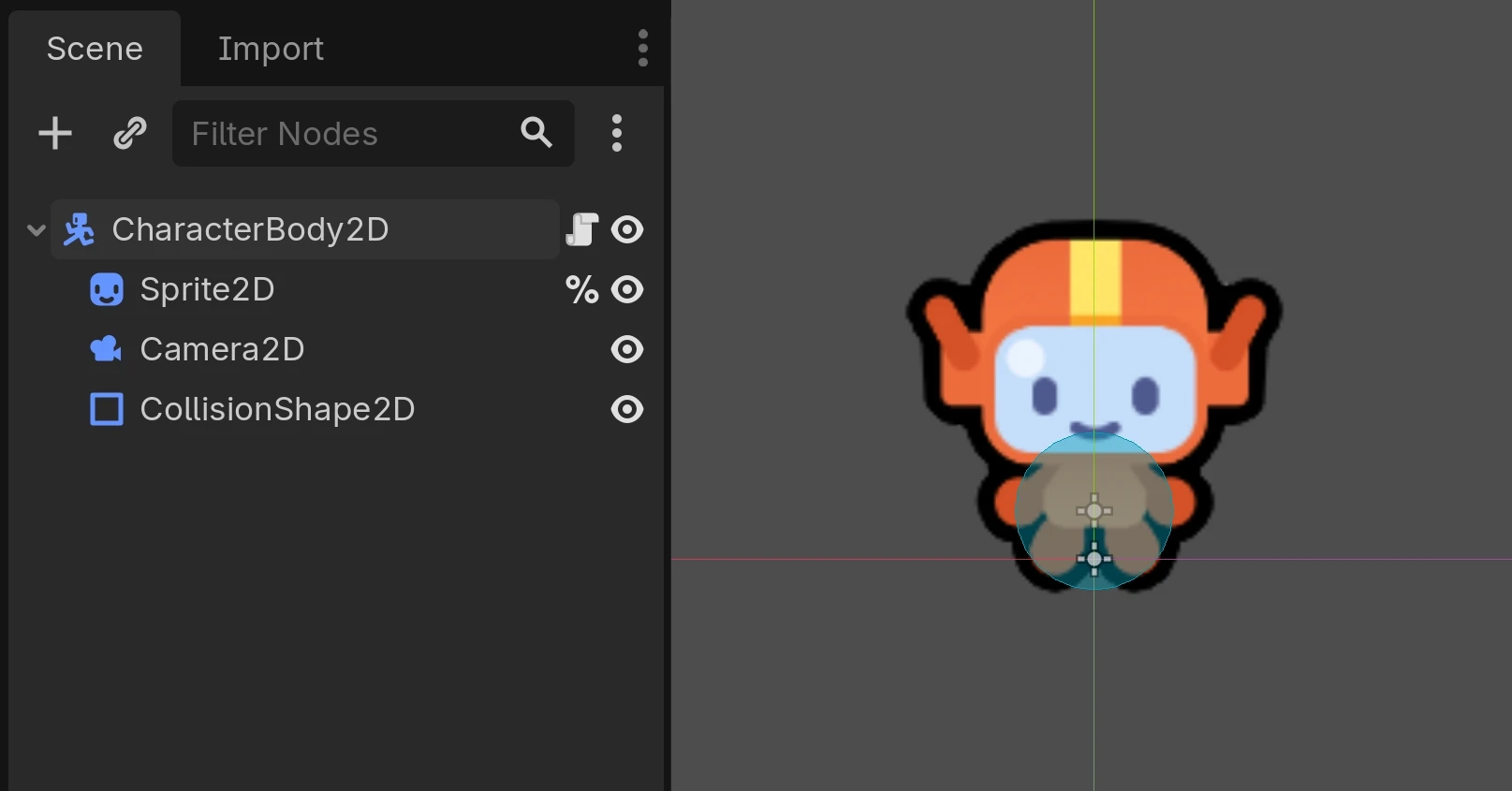
Godot provides a large library of built-in node types. A 2D character scene, for example, might combine:
A CharacterBody2DCharacterBody2D node for movement
A Sprite2DSprite2D node for the visual
A Camera2DCamera2D node so the view follows the player
A CollisionShape2DCollisionShape2D node to detect collisions
This is what this 2D character scene looks like in the editor.
All your scenes and nodes come together in the scene tree, a hierarchy of nodes and scenes that represents your running game. While the tree is technically made of nodes, you'll think in terms of scenes most of the time, since scenes map to meaningful game entities (characters, enemies, items) rather than basic building blocks (sprites, audio players, collision shapes).
Signals are one way for nodes to communicate. Instead of hard-coding dependencies between nodes, you connect signals to react when something happens: a button press, a collision, a character entering an area. Signals are Godot's take on the observer pattern, and they give you a lot of flexibility in how you structure your project.
updates / code patches
This was originally made with Godot 3 and updated to reflect naming changes in Godot 4. The concepts in the video are still relevant to Godot 4.X.