A Bezier curve is a smooth curve defined by a series of control points, where the curve passes through start and end points but is shaped by intermediate control points that aren't necessarily on the curve itself.
Bezier curves are used a lot in computer graphics to create smooth, scalable paths, especially in vector graphics (in programs like Inkscape or Figma). They're also used in animation to define how an object moves between two points.
These game ssets are what we call vector drawings. These vector shapes are actually Bezier curves under the hood.
In games, Bezier curves are really useful for creating smooth movement paths or camera trajectories. You define a few key control points, and the curve smoothly interpolates between them.
Godot uses Bezier curves in several places: The Path2DPath2D and Path3DPath3D nodes use Bezier curves to define paths that characters or objects can follow. You can visually edit control points in the editor and then use PathFollow2DPathFollow2D or PathFollow3DPathFollow3D nodes to move objects along these paths.
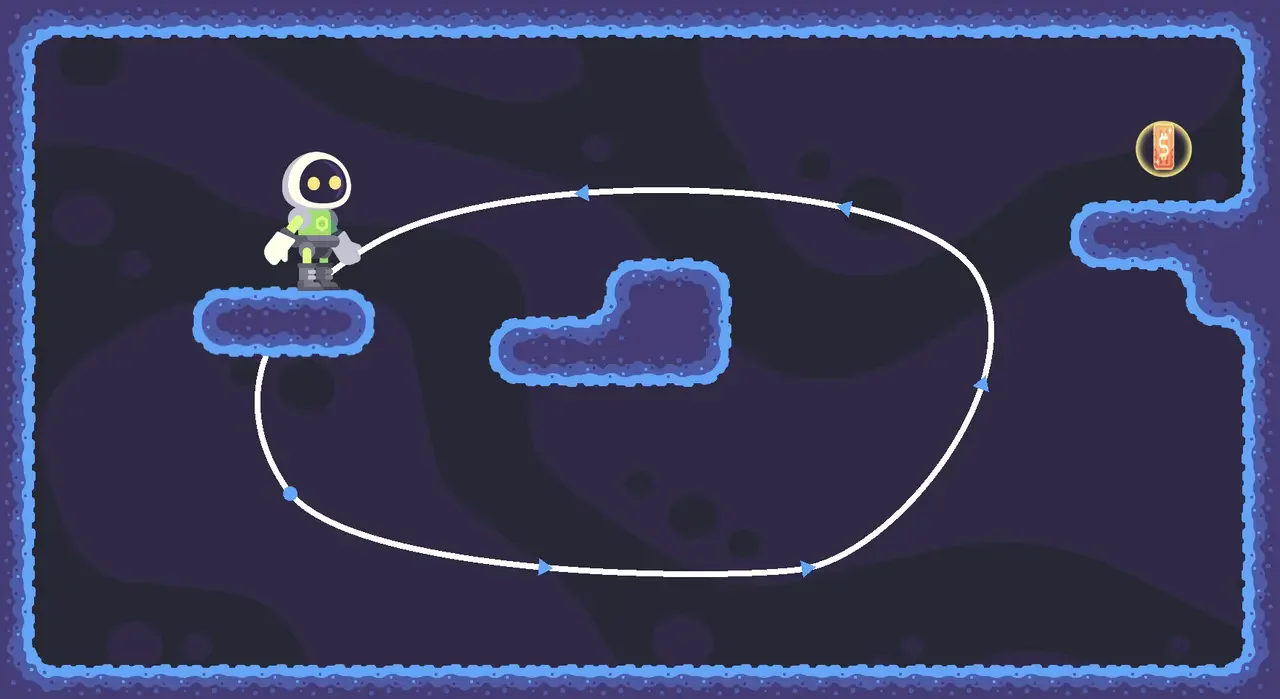
In Advanced Mechanics: Node Essentials, we use a Bezier curve to define a path for a moving platform using a Path2D node.
You can also use them to define areas to spawn mobs or create camera paths.
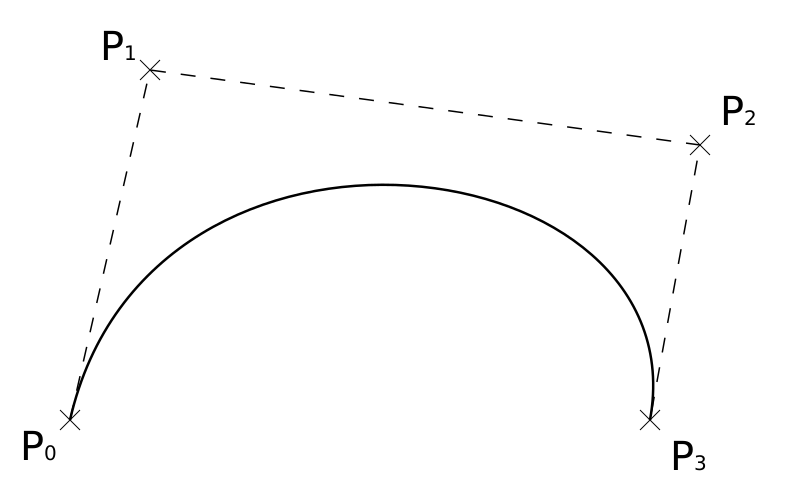
A cubic Bezier curve (the most common type) uses four control points: two endpoints and two handles that control the curve's shape. When you adjust these handles, the curve bends differently without moving the endpoints themselves.
This diagram represents the points used to produce a smooth Bezier curve. P0 and P3 are the end points, and P1 and P2 are the control points. Image license: Public Domain, courtesy of Wikipedia.
Become an Indie Gamedev with GDQuest!in GDSchool
Don't stop here. Step-by-step tutorials are fun but they only take you so far.
Try one of our proven study programs to become an independent Gamedev truly capable of realizing the games you’ve always wanted to make.