Learn to Code
2026/04/14
- Type
- Learning Resource
- Format
- Study Guide
- Version
- General
- Subject Tags
- Code
- MIT
- Game Assets
- CC BY-NC-SA
- All else
- 2016-2026, GDQuest© - All rights reserved
- Created
- Updated
- 2018/04/12
- 2026/04/14
You want to get started with game creation and programming but don't know where to start? That's what this study guide is about.
This guide is for you if you have little to no programming experience. You will learn:
Game creation can feel overwhelming at first. We've all had a tough time getting started whether we remember it or not.
To make games alone you have to learn both:
That's a lot to tackle all at once. Like any creative discipline, it takes time, and the learning process itself can be rewarding.

Code and design are whole new worlds to discover and explore. Take your time, stay curious.
You may not be able to communicate your vision at first and you'll stumble upon obstacles along the way. But you'll also have plenty of "ah-ha" moments and deep satisfaction when your family and friends get to play your games.
When you are just starting out, you should focus on code and game design separately. Be it in parallel or one after the other, you should learn the basics, write a few programs, design simple games on paper... then bring both disciplines together to make video games.
To stay motivated it's best if you understand why you're learning and what your objectives are.
What drives you to create your own game? Take a moment to think about the following questions:
There's no right or wrong answer here. Here's how I got started, a long time ago:
"I want to create a small RPG inspired by Japanese games for fun, finish it, and share it with my friends. I want to do everything so I need to learn to do game design, to write a story, to code the game, to draw characters and environments, to design levels, to make sounds and music, ... err, where should I start?"
— Naive 13-year-old me
It was a lot to take on alone. Over the years I built some foundation in most of those areas, though programming came last for me. Eventually I found my path as a game development teacher rather than a game developer, which turned out to be the right fit.

One of our old Adventure game projects with Nemega
You will have to be patient. Start small and hone each skill you need separately. You don't have to do everything all alone either. With a little bit of experience you can team up with complementary game creators during game jams for example.
Let's assume that you want to make video games by yourself. Maybe it would just be game prototypes that you can try out with your friends and flesh out with the help of a developer at a later stage. You're going to have to dive into code, but...
If you jump straight into a game editor and try to write code you're in trouble. A game engine is a large collection of technologies that add hundreds, if not thousands of new tools and functions to learn on top of programming foundations. You're going to get stuck often and you'll hit frustrating roadblocks. If you don't know what variables, functions, loops, and data structures are or how they work to some extent, you'll want to build solid foundations first.
"You need to write code to become a developer. Many beginners are afraid to write code that breaks. You won't break your computer. Sure your app will crash and there may be bugs but that's okay. You can only learn by trying."
— Valryon, co-founder of Pixelnest
Programming, and especially game programming, is a creative activity. You can spend your entire life exploring new techniques and sharpening your skills. Take your time and try to enjoy the journey.
To get good foundations you should:
Keep the KISS principle in mind: Keep it Short and Sweet. Short, focused practice sessions are more effective than long ones.
There are hundreds of programming languages out there. But it isn't that bad: by learning one language you learn a lot more than syntax. You're going to learn concepts like variables, loops, and data structures that work about the same in most programming languages. C++, JavaScript, C#, etc. have a lot of similarities so moving from one to the next won't feel like starting all over again.
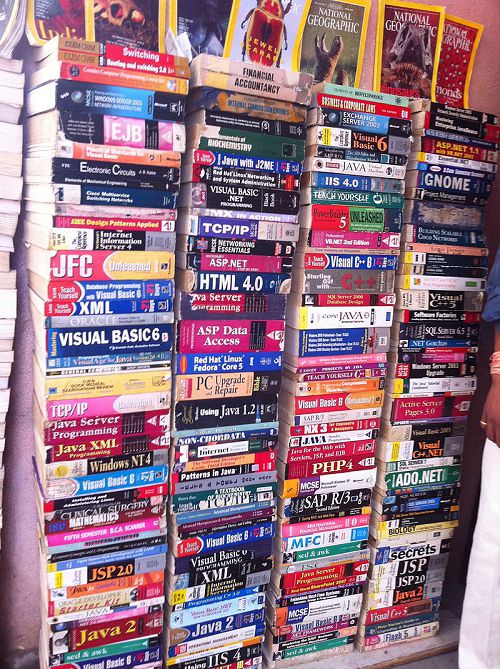
Dozens of languages are represented in these old tech and programming textbooks. CC 3.0 SA Victorgrigas
Learning a given language is a small part of learning programming. As you gain experience, you'll acquire more and more knowledge that you will be able to transpose across tools and languages: how to structure your code, how to avoid bugs, how to learn on your own without relying on tutorials...
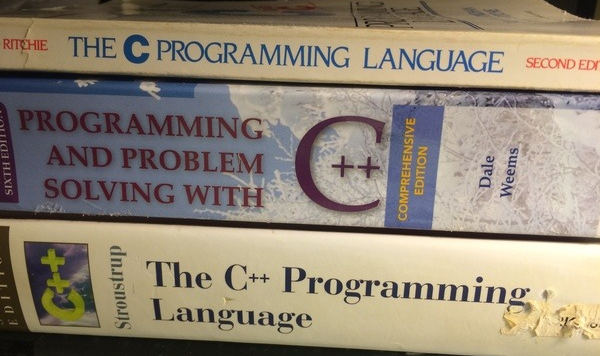
You don't need to start with a tough, low-level language like C++. When I was in middle school, a more experienced developer taught me C++, his argument being that it is one of the most widely used languages. At the age of 14, I got a 1000 pages long intro to C++. I had a horrible experience reading it and concluded that programming was not for me: I was disgusted and stayed away from code for years.
I got back into code with Construct 2's visual event system, working as a junior game designer on mobile games. The engine's creators sold it as a code-free engine. That seemed perfect for a designer like me!
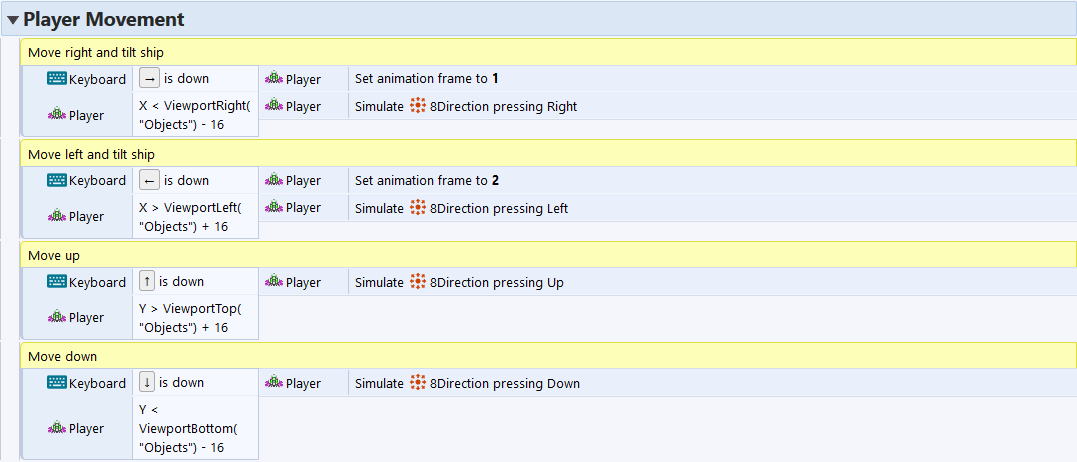
Construct's event sheets work by picking conditions on the left and coding actions or consequences on the right
It took me a few months to realize that I was storing values in variables, writing calculations, using functions and loops, data containers like arrays… I was actually programming, and it was fun! From there I learned some JavaScript, then Python. It felt nothing like my first experience with C++. Going through these steps eased me into it.
My first experience with C++ put me off programming for years. But the problem was not programming itself, it was starting with a tool that was not right for where I was. That is more common than you might think, and it has nothing to do with your ability to learn.
"Programming is for everyone. You don't need to be a man, to be young or "gifted". If I had started earlier I would've avoided a lot of obstacles in my career. It's a myth that we should debunk right now."
— Florïn Zolli, level designer at Ankama (Dofus, Wakfu), community manager at MotionTwin, now studying development
Women can code just as well as men. Designers and artists can also code. Programming is for everyone. The main thing is finding a starting point that works for you, and that is what the rest of this guide is about.
C++ is a complicated, feature-packed language designed to write code that runs fast. It is not meant to be accessible, and it is not a good starting point for someone new to programming. You do not need C++ to get started, and you do not need it to become a professional game developer.
You do not have to enjoy math or love coding for its own sake to make games. Some developers are driven by projects and creative goals rather than by the craft of programming itself, and that is a perfectly fine way to work. The taste for programming as a craft can come with experience.
Programming can feel dry and full of rules with no obvious connection to anything creative. But it is actually a problem-solving activity, and the problems you will be solving are things like "how do I make this character jump" or "how do I keep track of the player's score." There are always multiple ways to solve a given problem, and you will develop your own sense for it over time.
The next section covers one way many beginners ease into writing code without jumping straight into text.
Visual programming tools like Scratch, Clickteam Fusion, or Unreal's Blueprints are also programming and allow you to create different kinds of games. If you use them, you are already thinking like a programmer, storing values in variables, using conditions and loops, and so on. It is a perfectly valid way to start creating.
That said, text-based code scales better as your projects grow. Visual languages tend to get harder to manage at scale because connecting blocks and navigating menus becomes slower than just writing a few lines. Godot's scripting language in particular, GDScript, has a simple and readable syntax, and most beginners find it approachable fairly quickly. It is worth giving it a try before deciding visual tools are the only option for you.
Be patient. It won't take long before you can get started with game programming. Try to spend about 20 hours on programming basics first, then start making games while you keep building your skills in parallel.
When I wrote this guide originally, I recommended Python as a first language because there was no good way to learn GDScript from scratch. Since then, we built a free and open-source interactive app called Learn GDScript From Zero that teaches you the basics of programming directly in GDScript, Godot's scripting language.
GDScript has a simple and readable syntax, and it is what you will use to code games in Godot. Starting with it directly means you learn the basics and the tool at the same time, with no detour through a language you will then have to set aside.
Here is a small example of what GDScript looks like in practice. This moves a character based on player input:
var speed = 500.0

func _physics_process(delta):
	var movement_direction = Input.get_vector(
		"move_left", "move_right", "move_up", "move_down"
	)
	velocity = movement_direction * speed
	move_and_slide()
The app teaches you concepts like variables, conditions, loops, and functions through interactive exercises, so you write real code from the very first lesson.
Start with Learn GDScript From Zero, a free and open-source interactive app that teaches you the basics of programming using GDScript. You write real code directly in the browser and get immediate feedback. It is the right starting point if you have little or no programming experience.
Once you have the basics down, our beginner's learning path will take you through the next steps: getting to know the Godot editor, making your first 2D and 3D games, and going further from there.
That was a long article. Here are the key points to remember:
The answer depends on your goals and how comfortable you are with computers. If you want to create games, you do not need hundreds of hours of programming practice before making your first game. You can work on your programming skills and make games in parallel. You just need those first twenty hours to get a footing. Try not to learn everything at the same time though. Taking on programming, design, art, and music all at once makes it hard to make real progress in any one area.
Here are the concepts you should be comfortable with before writing game code:
Once you are comfortable with these, focus on the problem in front of you and write the simplest code that solves it. Read the problem, break it into small steps, and translate those steps into code one at a time. That's what developers do in a nutshell.
The goal at this stage is to get comfortable reading and writing code. You don't have to worry about abstract patterns or principles. You'll learn some of them later, once you have enough experience to see why they matter.
Don't stop here. Step-by-step tutorials are fun but they only take you so far.
Try one of our proven study programs to become an independent Gamedev truly capable of realizing the games you’ve always wanted to make.


Get help from peers and pros on GDQuest's Discord server!
20,000 membersJoin ServerThere are multiple ways you can join our effort to create free and open source gamedev resources that are accessible to everyone!
Sponsor this library by learning gamedev with us onGDSchool
Learn MoreImprove and build on assets or suggest edits onGithub
Contributeshare this page and talk about GDQUest onRedditYoutubeTwitter…
Site in BETA!found a bug?