Node
2025/10/11
- Type
- Learning Resource
- Format
- Glossary Article
- Version
- General
- Subject Tags
- Code
- MIT
- Game Assets
- 2016-2026, GDQuest© - All rights reserved
- All else
- 2016-2026, GDQuest© - All rights reserved
- Created
- Updated
- 2026/10/21
- 2025/10/11
In the Godot game engine, a node is an essential building block for creating and organizing your game's content. They are objects (bundles of data and functions) with extra features: you can create and arrange nodes in a tree hierarchy.
You can think of nodes as little Lego pieces that each have a unique purpose, like displaying graphics, playing sound, or handling game logic.
Each kind of node provides its own set of functions. For example, the Sprite2D node displays 2D graphics, and the Camera2D node makes the game view follow it (it creates a virtual camera).
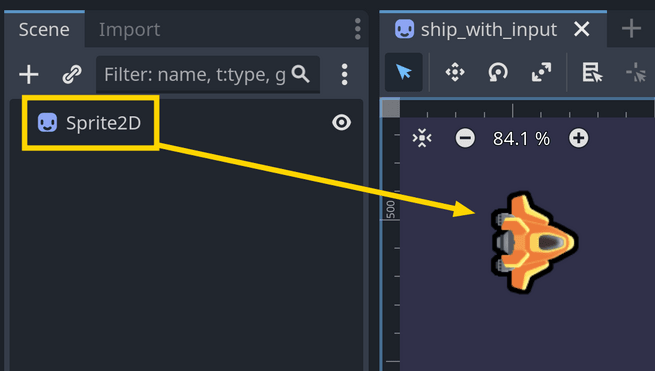
When creating a Godot game, you arrange nodes in a tree structure called the Scene Tree, where one node can be the parent of one or multiple child nodes, creating a tree hierarchy. This helps organize your game and control how nodes interact. For example, if you add a Camera2D node as a child of a Sprite2D, the camera will move along with its parent Sprite2D node.
In Godot, you can use nodes for most of the pieces the player interacts with when playing. This includes visible game elements and invisible ones like timers, sound players, or pathfinding (algorithms for characters to find walkable paths to a specific location).
While nodes are a powerful and accessible way to organize your game, if you're an experienced developer looking for more control, you can bypass them and work directly with Godot's low-level API (Application Programming Interface). You can search for server in the Godot documentation to learn more about this.
in Godot provide an interface to the engine's core systems (like the physics engine, audio, or rendering) and allow you to interact with them directly using efficient imperative code.
This is a more advanced topic, and it takes more time to write code this way, so we recommend starting with nodes to get familiar with Godot's features. Servers mostly help you to write custom systems or optimize performance in specific cases.
In the Godot editor, nodes are stored and displayed as part of a scene file.
You can see and edit them in the Scene dock at the top left of the editor, where you can add, move, and delete nodes.
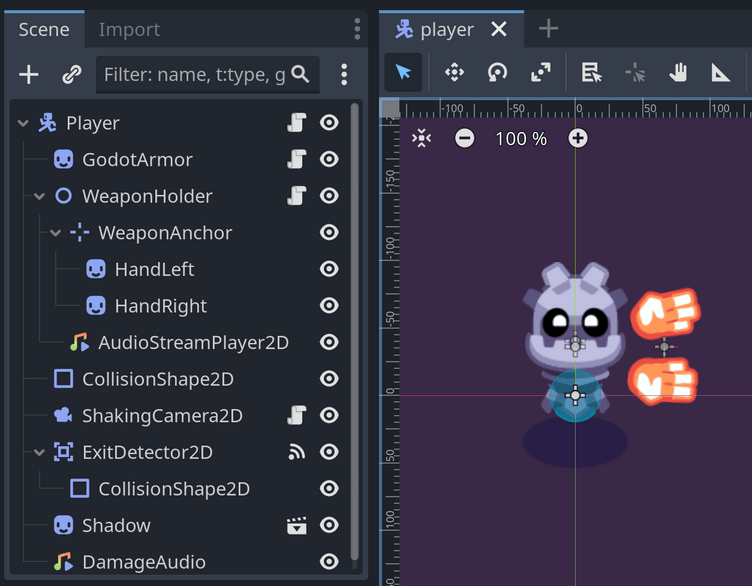
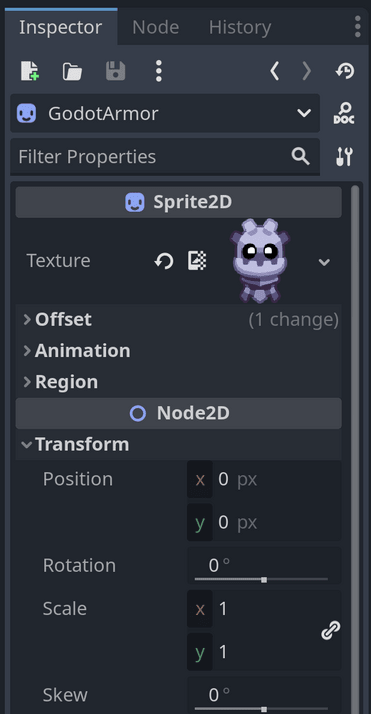
You can click a node to select it and see its properties in the Inspector dock, like its position, rotation, or scale.
By themselves, nodes don't do much. To give them behavior and make the most of them, Godot allows you to attach scripts to nodes. In these scripts, you can write code to manipulate the node's properties, respond to signals, and interact with other nodes in the scene tree.
You can find many examples of scripts in our courses and free tutorials. Here's a script from Learn 2D Gamedev From Zero with Godot 4 that moves a ship in eight directions when the player presses the arrow keys:
extends Sprite2D

var max_speed := 600.0
var velocity := Vector2(0, 0)


func _process(delta: float) -> void:
    var direction := Vector2(0, 0)
    direction.x = Input.get_axis("move_left", "move_right")
    direction.y = Input.get_axis("move_up", "move_down")

    if direction.length() > 1.0:
        direction = direction.normalized()

    velocity = direction * max_speed
position += velocity * deltaDon't stop here. Step-by-step tutorials are fun but they only take you so far.
Try one of our proven study programs to become an independent Gamedev truly capable of realizing the games you’ve always wanted to make.


Get help from peers and pros on GDQuest's Discord server!
20,000 membersJoin ServerThere are multiple ways you can join our effort to create free and open source gamedev resources that are accessible to everyone!
Sponsor this library by learning gamedev with us onGDSchool
Learn MoreImprove and build on assets or suggest edits onGithub
Contributeshare this page and talk about GDQUest onRedditYoutubeTwitter…
Site in BETA!found a bug?